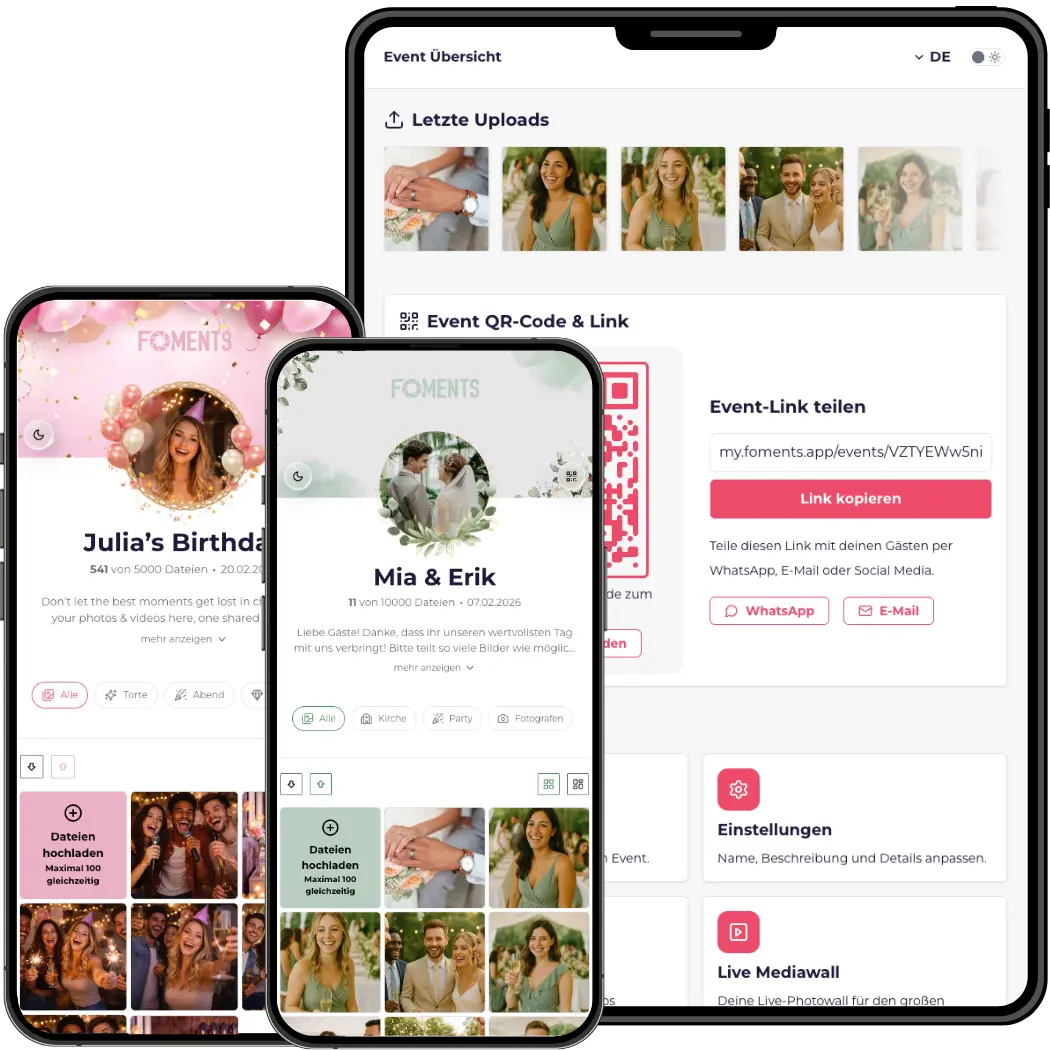
Upload photos & videos without an app
Your guests scan the QR code with their phone camera and upload photos and videos directly in the browser. No app download, no account, no sign-up. This low barrier is exactly what makes everyone join in – from the tech-savvy best man to the great-aunt. You create your event in minutes, share the QR code or direct link, and your guests' shots automatically land in your gallery. That's how you collect event photos with no detours and without anyone having to install anything first.
All event photos in one private gallery
All uploaded photos and videos are collected in one private event gallery instead of scattered across WhatsApp chats, cloud folders or individual phones. Only people you share the link or QR code with have access. You keep an overview of every contribution in one place and never have to chase anyone down after the event. The gallery can be personalized with a name, date and cover image to match your occasion.
GDPR-compliant storage on EU servers
All media is stored exclusively on European servers and processed in a GDPR-compliant way. There is no sharing with third parties. Access is limited to the people you share the QR code or link with. Once the storage period included in your plan ends, the event data is deleted. That keeps you on the safe side at weddings, corporate events and private celebrations – privacy is standard here, not an add-on.
Moderate and approve photos on your terms
You decide what appears in your gallery. Enable moderation in the event settings to review uploads before they're published and approve them individually. That keeps your event gallery clean and on-brand – ideal for corporate events where only approved content should appear. Without moderation, uploads show up instantly. You can switch between both modes any time in the settings.
Multilingual for international guests
Foments adapts to your guests' language. Everyone can set the interface individually, so international guests understand the upload just as effortlessly as your local ones. That lowers the barrier even further and drives more participation – especially at destination weddings or corporate events with attendees from several countries. Multilingual support is already included in the free plan.
Live media wall for projector, TV & screen
Show your guests' uploads in real time on a projector, TV, LED wall or screen. The live media wall turns spontaneous guest photos into a highlight right at the event – new images appear automatically in the running slideshow. Combined with moderation, you only display approved content. Perfect for weddings, parties and festivals where everyone should experience the mood live.
Download all media as a ZIP
After the event you download all collected photos and videos bundled as a ZIP file – in full quality, without compression. That lets you back up, archive or share your event's memories in a single step. The Plus plan includes two ZIP downloads, the Pro plan three. Ideal if you want to save the footage locally or pass it on to guests, your team or clients.
Visual customization & multiple admins
Adapt the event page to your style or brand – with your own colors and a design that fits the occasion. You can also add multiple admins so you manage the event as a team, and control further gallery details via the advanced settings. These customizations are available from the Plus plan and are especially relevant for larger celebrations and corporate events.
Password protection for your gallery
Protect your gallery with an additional password so only authorized guests get access. Combined with the private link and moderation, you gain full control over who can view and upload your event photos. Password protection is included in the Pro plan and is especially suited to sensitive corporate events or celebrations where privacy is the top priority.
Folders & a custom event link
Organize your photos and videos in custom folders – for example by Getting Ready, Ceremony, Reception and Party. That keeps everything clear even with several thousand uploads. In the Pro plan you can also hide the Foments logo and personalize your event with a custom link ending. That makes the gallery feel even more like your own experience.